
Warenkorb ist leer

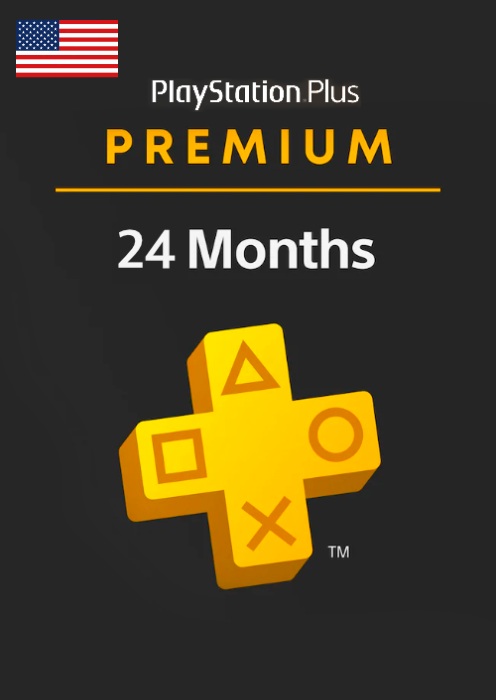
Playstation Plus Premium 24 months (USA)
–16%
![]()
Versand:
Aktivierungscode
Plattform:
PS5, PS4 /
Sony Playstation
Region:
United States of America
Herausgeber:
Sony Computer Entertainment
Die PlayStation Plus-Mitgliedschaft von Sony Computer Entertainment ist ein einheitlicher PlayStation-Service, der Abonnenten kostenlose Spiele, Rabatte, Multiplayer-Konnektivität und vieles mehr für alle ihre PlayStation-Produkte von Sony Computer Entertainment bietet.
Dieses Produkt gewährt Ihrem Konto eine 24-monatige (730-tägige) PlayStation Plus Premium-Mitgliedschaft. Gültig nur für in den USA registrierte Konten.

Hauptmerkmale:
- Testversionen – Probieren Sie eine Auswahl der beliebtesten Spiele zeitlich begrenzt aus, um sich für Ihr nächstes Spielerlebnis zu entscheiden. Ihr gesamter Spielfortschritt und alle Trophäen werden übernommen, falls Sie sich nach Ablauf der Testphase für den Kauf der Vollversion entscheiden.
- Klassiker-Katalog – Entdecke eine Auswahl klassischer Spiele aus früheren PlayStation-Generationen, die du auf deiner PS4 oder PS5 spielen kannst. Von beliebten Hits bis hin zu vergessenen Schätzen: Greife auf einen Katalog mit Hunderten von Klassikern der originalen PlayStation, PS2, PS3 und PSP zu.
- Cloud-Streaming – Genießen Sie Streaming-Zugriff auf eine große Auswahl an PS4-Spielen aus dem Spielekatalog sowie auf Hunderte von PS3-, PS2-Spielen und mehr aus dem Klassikerkatalog über Ihre PS5, PS4 und Ihren PC.
- Spiele auf dem PC – Streame Spiele aus dem PlayStation Plus-Spielekatalog und dem Klassikerkatalog auf deinen PC. Speichere deinen Spielfortschritt in der Cloud und spiele genau dort weiter, wo du auf deiner PS4 oder PS5 aufgehört hast. Verbinde deinen Controller für ein authentisches PlayStation-Erlebnis auf dem PC.
- Spielekatalog – Entdecke dein nächstes Abenteuer in einer riesigen Bibliothek herunterladbarer PS4- und PS5-Spiele. Von genreprägenden Blockbustern bis hin zu innovativen Indie-Titeln ist alles dabei – regelmäßig kommen neue Spiele hinzu. Der PlayStation Plus-Spielekatalog bietet dir bis zu 400 Titel voller neuer Spielerlebnisse, spannender Genres und lebendiger Online-Communities.
- Ubisoft+ Klassiker – Tauche ein in eine exklusive Auswahl an Ubisoft+ Klassikern im Rahmen deines PlayStation Plus Extra- oder Premium-Abonnements. Lade beliebte Titel aus legendären Franchises wie Far Cry, The Division und Assassin's Creed herunter und spiele sie auf deiner PS4 oder PS5. Die Sammlung wird regelmäßig um neue Titel erweitert.
- Monatliche Spiele – Erweitere deine Sammlung jeden Monat mit neuen PS4-Spielen, außerdem kommen regelmäßig PS5-Spiele hinzu – du kannst sie spielen, solange du Mitglied bist.
- Exklusive Rabatte – Erhalten Sie exklusiven Zugriff auf die besten Angebote für ausgewählte Spiele, Add-ons, Vorbestellungen und mehr aus dem PlayStation Store.
- Online-Mehrspielermodus – Entfesseln Sie das volle Potenzial Ihrer Lieblingsspiele und spielen Sie online zusammen mit der globalen PlayStation Plus-Community auf PS4 und PS5.
- Cloud-Speicher – Speichern Sie bis zu 100 GB PS4-Spieldaten und 100 GB PS5-Spieldaten in der Cloud und setzen Sie Ihr Spiel auf einer anderen Konsole genau dort fort, wo Sie aufgehört haben.
- Share Play – Starten Sie eine Share Play-Sitzung mit einem Freund und spielen Sie gemeinsam Mehrspieler-Spiele – genau so, als ob Sie denselben Fernseher benutzen würden.
Aktivierung — PSN
How to redeem your code via your PC:
- Go to PlayStation Store https://store.playstation.com
- Log into your PlayStation account in the top right of the screen.
- Click on your Avatar at the top of the screen.
- Select Redeem Codes from the drop-down menu.
- Carefully enter the code and select Redeem.
- The credit or content is now applied to your account.
How to redeem your digital code via PlayStation 5:
- On the PlayStation5 Game Home Menu highlight and select the PlayStation Store hub with the cross button on your wireless controller.
- Navigate up to the top menu Categories bar in the Store and select a "..." icon next to the shopping cart icon.
- Highlight and select “Redeem Code” from the list of options.
- Enter your code and press the cross button to continue.
- Now you will see the content you are redeeming. Highlight the confirm option and the cross button.
- A message will appear confirming that the code has been redeemed, press the button on "OK".
- The content should download automatically but if it does not, or if you would like to manually download the content, visit the game page In your Game Library from the Games Home Menu.
How to redeem your digital code via PlayStation 4:
- On the PlayStation 4 Home screen highlight and select PlayStation Store with the cross button on your wireless controller.
- From the list of store categories on the left of the screen, press the down button until you can highlight and select “Redeem Codes” with the cross button.
- Press the cross button to enter your code, then press the R2 button and select Continue.
- Now you will see a list of the digital content you are redeeming. Highlight the confirm option and press the cross button.
- A message will appear confirming that the code has been redeemed, press the cross button on "OK".
- The content should download automatically but if it does not, or if you would like to manually download the content, visit the game tile under your Library in the Home screen.
Rezensionen
Keine Beiträge gefunden.
Die PlayStation Plus-Mitgliedschaft von Sony Computer Entertainment ist ein einheitlicher PlayStation-Service, der Abonnenten kostenlose Spiele, Rabatte, Multiplayer-Konnektivität und vieles mehr für alle ihre PlayStation-Produkte von Sony Computer Entertainment bietet.
Dieses Produkt gewährt Ihrem Konto eine 24-monatige (730-tägige) PlayStation Plus Premium-Mitgliedschaft. Gültig nur für in den USA registrierte Konten.
Hauptmerkmale:
- Testversionen – Probieren Sie eine Auswahl der beliebtesten Spiele zeitlich begrenzt aus, um sich für Ihr nächstes Spielerlebnis zu entscheiden. Ihr gesamter Spielfortschritt und alle Trophäen werden übernommen, falls Sie sich nach Ablauf der Testphase für den Kauf der Vollversion entscheiden.
- Klassiker-Katalog – Entdecke eine Auswahl klassischer Spiele aus früheren PlayStation-Generationen, die du auf deiner PS4 oder PS5 spielen kannst. Von beliebten Hits bis hin zu vergessenen Schätzen: Greife auf einen Katalog mit Hunderten von Klassikern der originalen PlayStation, PS2, PS3 und PSP zu.
- Cloud-Streaming – Genießen Sie Streaming-Zugriff auf eine große Auswahl an PS4-Spielen aus dem Spielekatalog sowie auf Hunderte von PS3-, PS2-Spielen und mehr aus dem Klassikerkatalog über Ihre PS5, PS4 und Ihren PC.
- Spiele auf dem PC – Streame Spiele aus dem PlayStation Plus-Spielekatalog und dem Klassikerkatalog auf deinen PC. Speichere deinen Spielfortschritt in der Cloud und spiele genau dort weiter, wo du auf deiner PS4 oder PS5 aufgehört hast. Verbinde deinen Controller für ein authentisches PlayStation-Erlebnis auf dem PC.
- Spielekatalog – Entdecke dein nächstes Abenteuer in einer riesigen Bibliothek herunterladbarer PS4- und PS5-Spiele. Von genreprägenden Blockbustern bis hin zu innovativen Indie-Titeln ist alles dabei – regelmäßig kommen neue Spiele hinzu. Der PlayStation Plus-Spielekatalog bietet dir bis zu 400 Titel voller neuer Spielerlebnisse, spannender Genres und lebendiger Online-Communities.
- Ubisoft+ Klassiker – Tauche ein in eine exklusive Auswahl an Ubisoft+ Klassikern im Rahmen deines PlayStation Plus Extra- oder Premium-Abonnements. Lade beliebte Titel aus legendären Franchises wie Far Cry, The Division und Assassin's Creed herunter und spiele sie auf deiner PS4 oder PS5. Die Sammlung wird regelmäßig um neue Titel erweitert.
- Monatliche Spiele – Erweitere deine Sammlung jeden Monat mit neuen PS4-Spielen, außerdem kommen regelmäßig PS5-Spiele hinzu – du kannst sie spielen, solange du Mitglied bist.
- Exklusive Rabatte – Erhalten Sie exklusiven Zugriff auf die besten Angebote für ausgewählte Spiele, Add-ons, Vorbestellungen und mehr aus dem PlayStation Store.
- Online-Mehrspielermodus – Entfesseln Sie das volle Potenzial Ihrer Lieblingsspiele und spielen Sie online zusammen mit der globalen PlayStation Plus-Community auf PS4 und PS5.
- Cloud-Speicher – Speichern Sie bis zu 100 GB PS4-Spieldaten und 100 GB PS5-Spieldaten in der Cloud und setzen Sie Ihr Spiel auf einer anderen Konsole genau dort fort, wo Sie aufgehört haben.
- Share Play – Starten Sie eine Share Play-Sitzung mit einem Freund und spielen Sie gemeinsam Mehrspieler-Spiele – genau so, als ob Sie denselben Fernseher benutzen würden.
How to redeem your code via your PC:
- Go to PlayStation Store https://store.playstation.com
- Log into your PlayStation account in the top right of the screen.
- Click on your Avatar at the top of the screen.
- Select Redeem Codes from the drop-down menu.
- Carefully enter the code and select Redeem.
- The credit or content is now applied to your account.
How to redeem your digital code via PlayStation 5:
- On the PlayStation5 Game Home Menu highlight and select the PlayStation Store hub with the cross button on your wireless controller.
- Navigate up to the top menu Categories bar in the Store and select a "..." icon next to the shopping cart icon.
- Highlight and select “Redeem Code” from the list of options.
- Enter your code and press the cross button to continue.
- Now you will see the content you are redeeming. Highlight the confirm option and the cross button.
- A message will appear confirming that the code has been redeemed, press the button on "OK".
- The content should download automatically but if it does not, or if you would like to manually download the content, visit the game page In your Game Library from the Games Home Menu.
How to redeem your digital code via PlayStation 4:
- On the PlayStation 4 Home screen highlight and select PlayStation Store with the cross button on your wireless controller.
- From the list of store categories on the left of the screen, press the down button until you can highlight and select “Redeem Codes” with the cross button.
- Press the cross button to enter your code, then press the R2 button and select Continue.
- Now you will see a list of the digital content you are redeeming. Highlight the confirm option and press the cross button.
- A message will appear confirming that the code has been redeemed, press the cross button on "OK".
- The content should download automatically but if it does not, or if you would like to manually download the content, visit the game tile under your Library in the Home screen.
Keine Beiträge gefunden.