Warenkorb ist leer

Xbox Game Pass Premium - 3 months (EU)
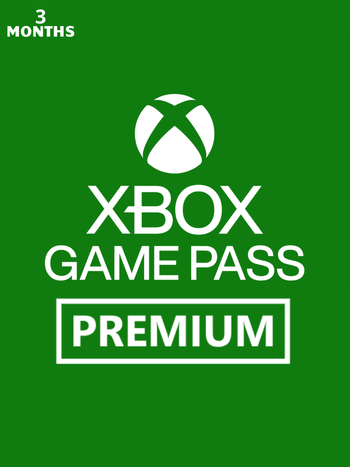
Mit dem Xbox Game Pass Premium - 3 Monate wird der Xbox Game Pass Premium für 90 Kalendertage auf Ihrem europäischen Xbox Live / Microsoft Windows Store-Konto aktiviert.
Der Xbox Game Pass Premium bietet unbegrenzten Zugriff auf eine Bibliothek hochwertiger Spiele für Xbox Series X|S, Xbox One und Windows 10/11. Da ständig neue Spiele hinzugefügt werden, gibt es immer etwas Neues zu spielen.
Hauptmerkmale:
- Greife auf über 200+ Spiele auf deiner Xbox One, Xbox Series X|S Konsole, deinem PC und unterstützten Geräten zu!
- Genieße unbegrenztes Cloud-Gaming mit kürzeren Wartezeiten! Spiele mit Freunden im Online-Konsolen-Mehrspielermodus! Profitiere von exklusiven Vorteilen im Spiel.
- Sichern Sie sich exklusive Angebote und Rabatte auf ausgewählte Spiele und Add-ons.
- Sammle Prämienpunkte für das Spielen von Spielen, das Abschließen von Quests und das Einkaufen im Shop:
- Sichere dir bis zu 50 $ pro Jahr im Store. Sammle Punkte, indem du deine Lieblingsspiele spielst, und kaufe damit Spiele, Erweiterungen und mehr.
- Sammeln Sie doppelt so viele Punkte beim Kauf von Spielen und Add-ons im Store.
- Erhalten Sie bis zu 5 % des Kaufpreises berechtigter Spiele aus der Game Pass-Bibliothek und von Zusatzinhalten in Punkten zurück.
Dieses Produkt wird über Ihr Xbox Live- oder Microsoft Store-Konto aktiviert.
Aktivierung — Xbox Live
Online:
- If you have an account on Xbox Live simply log in to your account on https://redeem.microsoft.com, and enter the 25-digit code.
- If you need to get an account - Go to live.xbox.com and follow the steps to create a new account. Then go to https://redeem.microsoft.com, and enter the 25-digit code.
For Xbox One products:
- From the Home screen, scroll right to Store.
- Under Games, select Browse All Games
- Select Use a code. Or, say “Xbox, use code.” (if you have Kinect)
-
If prompted, sign in and select Enter the 25-character code.
-
Use the onscreen keyboard to enter your 25-character code. Don’t worry about hyphens, the system takes care of those for you.
-
Once your code is redeemed, you’ll receive a confirmation message.
For Xbox 360 products:
- Sign in to Xbox Live using the account for which you want to use the prepaid code.
- Press the Guide button on your controller
- Go to Games & Apps, and then select Redeem Code.
- Enter the 25-character prepaid code, and then select Done.
- When prompted, select Yes to confirm the redemption.
Rezensionen
Keine Beiträge gefunden.
Mit dem Xbox Game Pass Premium - 3 Monate wird der Xbox Game Pass Premium für 90 Kalendertage auf Ihrem europäischen Xbox Live / Microsoft Windows Store-Konto aktiviert.
Der Xbox Game Pass Premium bietet unbegrenzten Zugriff auf eine Bibliothek hochwertiger Spiele für Xbox Series X|S, Xbox One und Windows 10/11. Da ständig neue Spiele hinzugefügt werden, gibt es immer etwas Neues zu spielen.
Hauptmerkmale:
- Greife auf über 200+ Spiele auf deiner Xbox One, Xbox Series X|S Konsole, deinem PC und unterstützten Geräten zu!
- Genieße unbegrenztes Cloud-Gaming mit kürzeren Wartezeiten! Spiele mit Freunden im Online-Konsolen-Mehrspielermodus! Profitiere von exklusiven Vorteilen im Spiel.
- Sichern Sie sich exklusive Angebote und Rabatte auf ausgewählte Spiele und Add-ons.
- Sammle Prämienpunkte für das Spielen von Spielen, das Abschließen von Quests und das Einkaufen im Shop:
- Sichere dir bis zu 50 $ pro Jahr im Store. Sammle Punkte, indem du deine Lieblingsspiele spielst, und kaufe damit Spiele, Erweiterungen und mehr.
- Sammeln Sie doppelt so viele Punkte beim Kauf von Spielen und Add-ons im Store.
- Erhalten Sie bis zu 5 % des Kaufpreises berechtigter Spiele aus der Game Pass-Bibliothek und von Zusatzinhalten in Punkten zurück.
Dieses Produkt wird über Ihr Xbox Live- oder Microsoft Store-Konto aktiviert.
Online:
- If you have an account on Xbox Live simply log in to your account on https://redeem.microsoft.com, and enter the 25-digit code.
- If you need to get an account - Go to live.xbox.com and follow the steps to create a new account. Then go to https://redeem.microsoft.com, and enter the 25-digit code.
For Xbox One products:
- From the Home screen, scroll right to Store.
- Under Games, select Browse All Games
- Select Use a code. Or, say “Xbox, use code.” (if you have Kinect)
-
If prompted, sign in and select Enter the 25-character code.
-
Use the onscreen keyboard to enter your 25-character code. Don’t worry about hyphens, the system takes care of those for you.
-
Once your code is redeemed, you’ll receive a confirmation message.
For Xbox 360 products:
- Sign in to Xbox Live using the account for which you want to use the prepaid code.
- Press the Guide button on your controller
- Go to Games & Apps, and then select Redeem Code.
- Enter the 25-character prepaid code, and then select Done.
- When prompted, select Yes to confirm the redemption.
Keine Beiträge gefunden.