Cart is empty

Xbox Game Pass Premium - 3 months (EU)
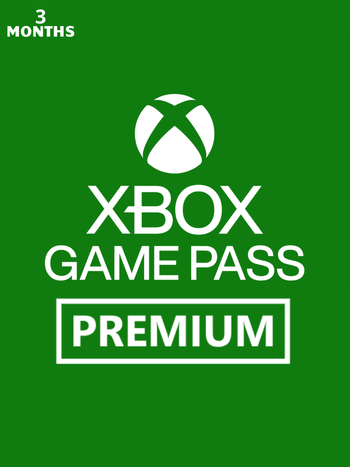
The Xbox Game Pass Premium - 3 month will activate the Xbox Game Pass Premium for 90 calendar days on your European Xbox Live / Microsoft Windows Store account.
Xbox Game Pass Premium includes unlimited access to a library of high-quality games on Xbox Series X|S, Xbox One and Windows 10/11. With games added all the time, you’ll always have something new to play.
Key features:
- Access over 200+ games on your Xbox One, Xbox Series X|S consoles, PC, and supported devices!
- Enjoy unlimited cloud gaming with shorter wait times! Join friends to play with online console multiplayer access! Enjoy exclusive in-game benefits.
- Get exclusive deals and discounts on select games and add-ons.
- Earn rewards points for playing games, completing quests, and shopping in the Store:
- get up to $50 per year at the Store. Earn points by playing the games you love to buy games, add-ons, and more.
- Earn 2x more points when buying games and add-ons at the Store.
- Get up to 5% back in points on eligible Game Pass library games and add-ons purchases.
This product is activated through your Xbox Live or Microsoft Store accounts.
Activation - Xbox Live
Online:
- If you have an account on Xbox Live simply log in to your account on https://redeem.microsoft.com, and enter the 25-digit code.
- If you need to get an account - Go to live.xbox.com and follow the steps to create a new account. Then go to https://redeem.microsoft.com, and enter the 25-digit code.
For Xbox One products:
- From the Home screen, scroll right to Store.
- Under Games, select Browse All Games
- Select Use a code. Or, say “Xbox, use code.” (if you have Kinect)
-
If prompted, sign in and select Enter the 25-character code.
-
Use the onscreen keyboard to enter your 25-character code. Don’t worry about hyphens, the system takes care of those for you.
-
Once your code is redeemed, you’ll receive a confirmation message.
For Xbox 360 products:
- Sign in to Xbox Live using the account for which you want to use the prepaid code.
- Press the Guide button on your controller
- Go to Games & Apps, and then select Redeem Code.
- Enter the 25-character prepaid code, and then select Done.
- When prompted, select Yes to confirm the redemption.
Reviews
No posts found
The Xbox Game Pass Premium - 3 month will activate the Xbox Game Pass Premium for 90 calendar days on your European Xbox Live / Microsoft Windows Store account.
Xbox Game Pass Premium includes unlimited access to a library of high-quality games on Xbox Series X|S, Xbox One and Windows 10/11. With games added all the time, you’ll always have something new to play.
Key features:
- Access over 200+ games on your Xbox One, Xbox Series X|S consoles, PC, and supported devices!
- Enjoy unlimited cloud gaming with shorter wait times! Join friends to play with online console multiplayer access! Enjoy exclusive in-game benefits.
- Get exclusive deals and discounts on select games and add-ons.
- Earn rewards points for playing games, completing quests, and shopping in the Store:
- get up to $50 per year at the Store. Earn points by playing the games you love to buy games, add-ons, and more.
- Earn 2x more points when buying games and add-ons at the Store.
- Get up to 5% back in points on eligible Game Pass library games and add-ons purchases.
This product is activated through your Xbox Live or Microsoft Store accounts.
Online:
- If you have an account on Xbox Live simply log in to your account on https://redeem.microsoft.com, and enter the 25-digit code.
- If you need to get an account - Go to live.xbox.com and follow the steps to create a new account. Then go to https://redeem.microsoft.com, and enter the 25-digit code.
For Xbox One products:
- From the Home screen, scroll right to Store.
- Under Games, select Browse All Games
- Select Use a code. Or, say “Xbox, use code.” (if you have Kinect)
-
If prompted, sign in and select Enter the 25-character code.
-
Use the onscreen keyboard to enter your 25-character code. Don’t worry about hyphens, the system takes care of those for you.
-
Once your code is redeemed, you’ll receive a confirmation message.
For Xbox 360 products:
- Sign in to Xbox Live using the account for which you want to use the prepaid code.
- Press the Guide button on your controller
- Go to Games & Apps, and then select Redeem Code.
- Enter the 25-character prepaid code, and then select Done.
- When prompted, select Yes to confirm the redemption.
No posts found