
Cart is empty

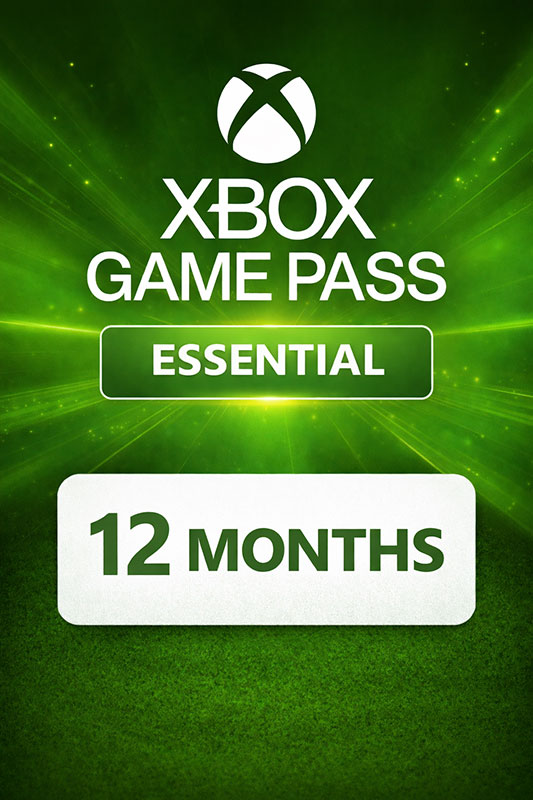
Xbox Game Pass Core (Essential) 12 Months
Delivery:
Activation code
Platform:
Xbox One, Xbox 360, Xbox Series X|S /
Xbox Live
Region:
Region Free
Publisher:
Microsoft
This is a 12 Months (365 days) Xbox Game Pass Essential (Core) subscription card will add 12 months of Xbox Game Pass Essential to your Microsoft Xbox account.
Xbox Game Pass Essential (Core) includes unlimited access to a library of high-quality games on Xbox Series X|S, Xbox One and Windows 10/11. With games added all the time, you’ll always have something new to play.
Play together with friends through online console multiplayer, chat, and shared adventures. Unlock in-game benefits in top titles like League of Legends, Call of Duty: Warzone, and Overwatch 2. Take advantage of game discounts, partner perks, and exclusive offers. Earn Rewards for playing and purchasing games and add-ons in the Store, with even more rewards on eligible purchases. Play, earn, spend, and repeat — it all adds up to more with Xbox Rewards. Find your community with Xbox and play wherever you want.
Key features:
- Access over 50+ games on your Xbox One, Xbox Series X|S consoles, PC, and supported devices!
- Enjoy unlimited cloud gaming! Join friends to play with online console multiplayer access! Enjoy exclusive in-game benefits.
- Get exclusive deals and discounts on select games and add-ons.
- Earn rewards points for playing games, completing quests, and shopping in the Store:
- get up to $25 per year at the Store. Earn points by playing the games you love to buy games, add-ons, and more.
Activation - Xbox Live
Online:
- If you have an account on Xbox Live simply log in to your account on https://redeem.microsoft.com, and enter the 25-digit code.
- If you need to get an account - Go to live.xbox.com and follow the steps to create a new account. Then go to https://redeem.microsoft.com, and enter the 25-digit code.
For Xbox One products:
- From the Home screen, scroll right to Store.
- Under Games, select Browse All Games
- Select Use a code. Or, say “Xbox, use code.” (if you have Kinect)
-
If prompted, sign in and select Enter the 25-character code.
-
Use the onscreen keyboard to enter your 25-character code. Don’t worry about hyphens, the system takes care of those for you.
-
Once your code is redeemed, you’ll receive a confirmation message.
For Xbox 360 products:
- Sign in to Xbox Live using the account for which you want to use the prepaid code.
- Press the Guide button on your controller
- Go to Games & Apps, and then select Redeem Code.
- Enter the 25-character prepaid code, and then select Done.
- When prompted, select Yes to confirm the redemption.
Reviews
This is a 12 Months (365 days) Xbox Game Pass Essential (Core) subscription card will add 12 months of Xbox Game Pass Essential to your Microsoft Xbox account.
Xbox Game Pass Essential (Core) includes unlimited access to a library of high-quality games on Xbox Series X|S, Xbox One and Windows 10/11. With games added all the time, you’ll always have something new to play.
Play together with friends through online console multiplayer, chat, and shared adventures. Unlock in-game benefits in top titles like League of Legends, Call of Duty: Warzone, and Overwatch 2. Take advantage of game discounts, partner perks, and exclusive offers. Earn Rewards for playing and purchasing games and add-ons in the Store, with even more rewards on eligible purchases. Play, earn, spend, and repeat — it all adds up to more with Xbox Rewards. Find your community with Xbox and play wherever you want.
Key features:
- Access over 50+ games on your Xbox One, Xbox Series X|S consoles, PC, and supported devices!
- Enjoy unlimited cloud gaming! Join friends to play with online console multiplayer access! Enjoy exclusive in-game benefits.
- Get exclusive deals and discounts on select games and add-ons.
- Earn rewards points for playing games, completing quests, and shopping in the Store:
- get up to $25 per year at the Store. Earn points by playing the games you love to buy games, add-ons, and more.
Online:
- If you have an account on Xbox Live simply log in to your account on https://redeem.microsoft.com, and enter the 25-digit code.
- If you need to get an account - Go to live.xbox.com and follow the steps to create a new account. Then go to https://redeem.microsoft.com, and enter the 25-digit code.
For Xbox One products:
- From the Home screen, scroll right to Store.
- Under Games, select Browse All Games
- Select Use a code. Or, say “Xbox, use code.” (if you have Kinect)
-
If prompted, sign in and select Enter the 25-character code.
-
Use the onscreen keyboard to enter your 25-character code. Don’t worry about hyphens, the system takes care of those for you.
-
Once your code is redeemed, you’ll receive a confirmation message.
For Xbox 360 products:
- Sign in to Xbox Live using the account for which you want to use the prepaid code.
- Press the Guide button on your controller
- Go to Games & Apps, and then select Redeem Code.
- Enter the 25-character prepaid code, and then select Done.
- When prompted, select Yes to confirm the redemption.