
Warenkorb ist leer

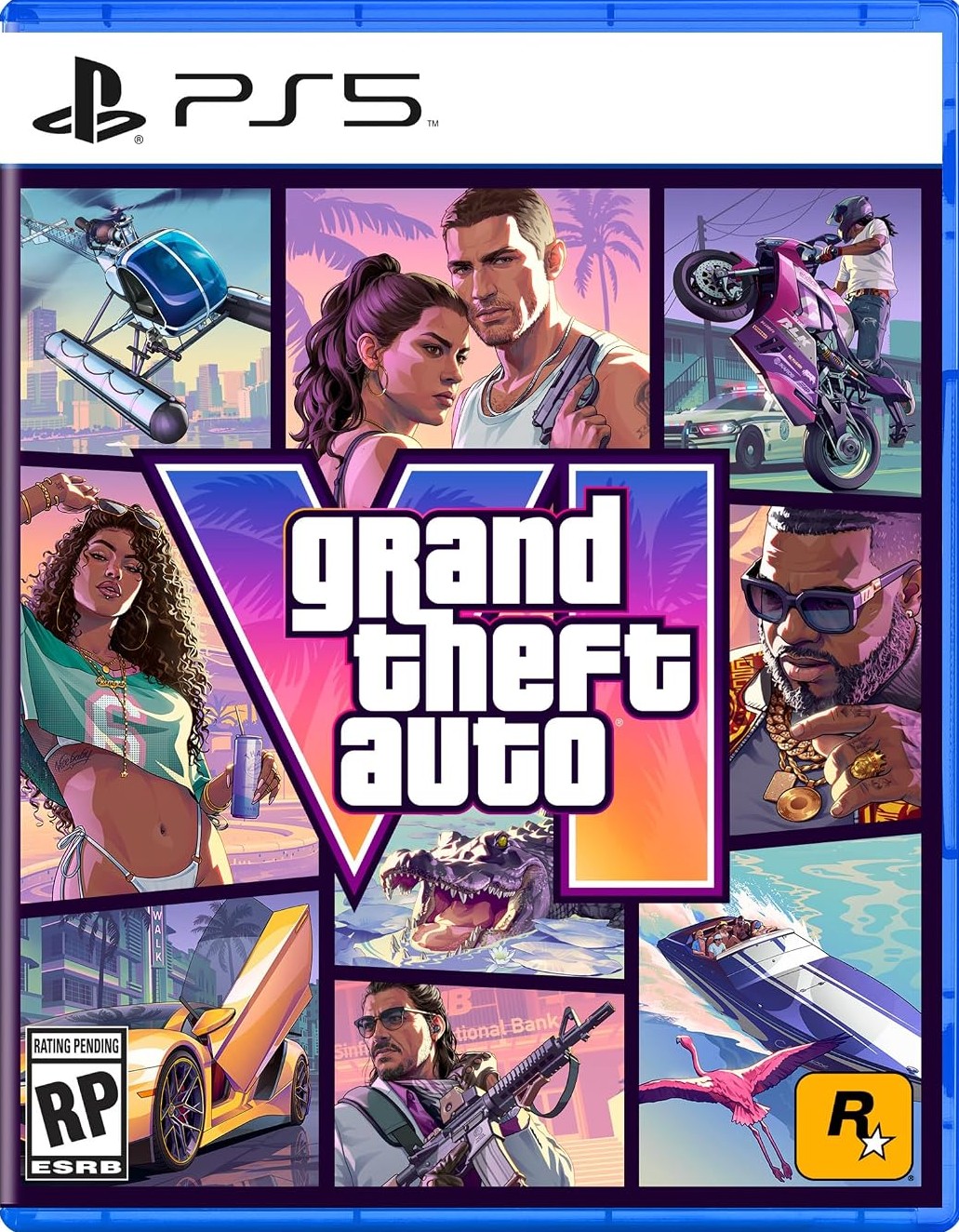
Grand Theft Auto VI PS5 (EU)
–4%
")
")
![]()
![]()
![]()
![]()
![]()
![]()
![]()
![]()
![]()











Versand:
Aktivierungscode
Plattform:
PS5 /
Sony Playstation
Sprachen:
Multi-language
Region:
Europe
Entwickler:
Rockstar North
Herausgeber:
Rockstar Games
Ausgabedatum:
November 19, 2026

Das Spiel ist für PS5-Konten in folgenden Ländern verfügbar: Österreich, Belgien, Bulgarien, Kroatien, Zypern, Tschechien, Dänemark, Finnland, Frankreich, Deutschland, Griechenland, Ungarn, Island, Indien, Irland, Israel, Italien, Luxemburg, Malta, Niederlande, Norwegen, Polen, Portugal, Rumänien, Slowakei, Slowenien, Südafrika, Spanien, Schweden, Schweiz, Türkei, Ukraine. Enthält das Vorbesteller-Bonuspaket „Vintage Vice City“.
Grand Theft Auto VI ist der nächste aufregende Teil der legendären Spielreihe. Erkunde den Staat Leonida, Heimat der neonbeleuchteten Straßen von Vice City und darüber hinaus – im größten Teil der Reihe. Tauche ein in die bisher immersivste Weiterentwicklung der Grand Theft Auto-Serie.

Jason und Lucia wussten schon immer, dass sie es schwer haben. Doch als ein vermeintlich einfacher Coup schiefgeht, finden sie sich plötzlich im finstersten Winkel des sonnigsten Ortes Amerikas wieder, mitten in einer kriminellen Verschwörung, die sich über den gesamten Bundesstaat Leonida erstreckt – und sind gezwungen, mehr denn je aufeinander zu vertrauen, wenn sie lebend herauskommen wollen.
Aktivierung — PSN
How to redeem your code via your PC:
- Go to PlayStation Store https://store.playstation.com
- Log into your PlayStation account in the top right of the screen.
- Click on your Avatar at the top of the screen.
- Select Redeem Codes from the drop-down menu.
- Carefully enter the code and select Redeem.
- The credit or content is now applied to your account.
How to redeem your digital code via PlayStation 5:
- On the PlayStation5 Game Home Menu highlight and select the PlayStation Store hub with the cross button on your wireless controller.
- Navigate up to the top menu Categories bar in the Store and select a "..." icon next to the shopping cart icon.
- Highlight and select “Redeem Code” from the list of options.
- Enter your code and press the cross button to continue.
- Now you will see the content you are redeeming. Highlight the confirm option and the cross button.
- A message will appear confirming that the code has been redeemed, press the button on "OK".
- The content should download automatically but if it does not, or if you would like to manually download the content, visit the game page In your Game Library from the Games Home Menu.
How to redeem your digital code via PlayStation 4:
- On the PlayStation 4 Home screen highlight and select PlayStation Store with the cross button on your wireless controller.
- From the list of store categories on the left of the screen, press the down button until you can highlight and select “Redeem Codes” with the cross button.
- Press the cross button to enter your code, then press the R2 button and select Continue.
- Now you will see a list of the digital content you are redeeming. Highlight the confirm option and press the cross button.
- A message will appear confirming that the code has been redeemed, press the cross button on "OK".
- The content should download automatically but if it does not, or if you would like to manually download the content, visit the game tile under your Library in the Home screen.
Rezensionen
Das Spiel ist für PS5-Konten in folgenden Ländern verfügbar: Österreich, Belgien, Bulgarien, Kroatien, Zypern, Tschechien, Dänemark, Finnland, Frankreich, Deutschland, Griechenland, Ungarn, Island, Indien, Irland, Israel, Italien, Luxemburg, Malta, Niederlande, Norwegen, Polen, Portugal, Rumänien, Slowakei, Slowenien, Südafrika, Spanien, Schweden, Schweiz, Türkei, Ukraine. Enthält das Vorbesteller-Bonuspaket „Vintage Vice City“.
Grand Theft Auto VI ist der nächste aufregende Teil der legendären Spielreihe. Erkunde den Staat Leonida, Heimat der neonbeleuchteten Straßen von Vice City und darüber hinaus – im größten Teil der Reihe. Tauche ein in die bisher immersivste Weiterentwicklung der Grand Theft Auto-Serie.
Jason und Lucia wussten schon immer, dass sie es schwer haben. Doch als ein vermeintlich einfacher Coup schiefgeht, finden sie sich plötzlich im finstersten Winkel des sonnigsten Ortes Amerikas wieder, mitten in einer kriminellen Verschwörung, die sich über den gesamten Bundesstaat Leonida erstreckt – und sind gezwungen, mehr denn je aufeinander zu vertrauen, wenn sie lebend herauskommen wollen.
How to redeem your code via your PC:
- Go to PlayStation Store https://store.playstation.com
- Log into your PlayStation account in the top right of the screen.
- Click on your Avatar at the top of the screen.
- Select Redeem Codes from the drop-down menu.
- Carefully enter the code and select Redeem.
- The credit or content is now applied to your account.
How to redeem your digital code via PlayStation 5:
- On the PlayStation5 Game Home Menu highlight and select the PlayStation Store hub with the cross button on your wireless controller.
- Navigate up to the top menu Categories bar in the Store and select a "..." icon next to the shopping cart icon.
- Highlight and select “Redeem Code” from the list of options.
- Enter your code and press the cross button to continue.
- Now you will see the content you are redeeming. Highlight the confirm option and the cross button.
- A message will appear confirming that the code has been redeemed, press the button on "OK".
- The content should download automatically but if it does not, or if you would like to manually download the content, visit the game page In your Game Library from the Games Home Menu.
How to redeem your digital code via PlayStation 4:
- On the PlayStation 4 Home screen highlight and select PlayStation Store with the cross button on your wireless controller.
- From the list of store categories on the left of the screen, press the down button until you can highlight and select “Redeem Codes” with the cross button.
- Press the cross button to enter your code, then press the R2 button and select Continue.
- Now you will see a list of the digital content you are redeeming. Highlight the confirm option and press the cross button.
- A message will appear confirming that the code has been redeemed, press the cross button on "OK".
- The content should download automatically but if it does not, or if you would like to manually download the content, visit the game tile under your Library in the Home screen.