Il carrello è vuoto

Xbox Game Pass Premium - 3 months (EU)
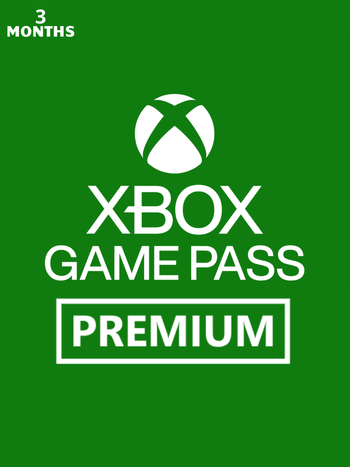
L'abbonamento Xbox Game Pass Premium - 3 mesi attiverà Xbox Game Pass Premium per 90 giorni di calendario sul tuo account Xbox Live/Microsoft Windows Store europeo.
Xbox Game Pass Premium include l'accesso illimitato a una libreria di giochi di alta qualità per Xbox Series X|S, Xbox One e Windows 10/11. Con giochi aggiunti costantemente, avrai sempre qualcosa di nuovo a cui giocare.
Caratteristiche principali:
- Accedi a oltre 200 giochi sulle tue console Xbox One, Xbox Series X|S, PC e dispositivi supportati!
- Goditi il cloud gaming illimitato con tempi di attesa ridotti! Unisciti ai tuoi amici per giocare online in modalità multigiocatore su console! Approfitta di vantaggi esclusivi nel gioco.
- Ottieni offerte e sconti esclusivi su giochi e componenti aggiuntivi selezionati.
- Guadagna punti premio giocando, completando missioni e facendo acquisti nello Store:
- Ottieni fino a 50 $ all'anno sullo Store. Guadagna punti giocando ai tuoi giochi preferiti per acquistare giochi, componenti aggiuntivi e altro ancora.
- Guadagna 2 volte più punti quando acquisti giochi e componenti aggiuntivi nello Store.
- Ottieni fino al 5% di punti indietro sugli acquisti di giochi e componenti aggiuntivi idonei della libreria Game Pass.
Questo prodotto viene attivato tramite i tuoi account Xbox Live o Microsoft Store.
Attivazione — Xbox Live
Online:
- If you have an account on Xbox Live simply log in to your account on https://redeem.microsoft.com, and enter the 25-digit code.
- If you need to get an account - Go to live.xbox.com and follow the steps to create a new account. Then go to https://redeem.microsoft.com, and enter the 25-digit code.
For Xbox One products:
- From the Home screen, scroll right to Store.
- Under Games, select Browse All Games
- Select Use a code. Or, say “Xbox, use code.” (if you have Kinect)
-
If prompted, sign in and select Enter the 25-character code.
-
Use the onscreen keyboard to enter your 25-character code. Don’t worry about hyphens, the system takes care of those for you.
-
Once your code is redeemed, you’ll receive a confirmation message.
For Xbox 360 products:
- Sign in to Xbox Live using the account for which you want to use the prepaid code.
- Press the Guide button on your controller
- Go to Games & Apps, and then select Redeem Code.
- Enter the 25-character prepaid code, and then select Done.
- When prompted, select Yes to confirm the redemption.
Recensioni
Nessun messaggio trovato
L'abbonamento Xbox Game Pass Premium - 3 mesi attiverà Xbox Game Pass Premium per 90 giorni di calendario sul tuo account Xbox Live/Microsoft Windows Store europeo.
Xbox Game Pass Premium include l'accesso illimitato a una libreria di giochi di alta qualità per Xbox Series X|S, Xbox One e Windows 10/11. Con giochi aggiunti costantemente, avrai sempre qualcosa di nuovo a cui giocare.
Caratteristiche principali:
- Accedi a oltre 200 giochi sulle tue console Xbox One, Xbox Series X|S, PC e dispositivi supportati!
- Goditi il cloud gaming illimitato con tempi di attesa ridotti! Unisciti ai tuoi amici per giocare online in modalità multigiocatore su console! Approfitta di vantaggi esclusivi nel gioco.
- Ottieni offerte e sconti esclusivi su giochi e componenti aggiuntivi selezionati.
- Guadagna punti premio giocando, completando missioni e facendo acquisti nello Store:
- Ottieni fino a 50 $ all'anno sullo Store. Guadagna punti giocando ai tuoi giochi preferiti per acquistare giochi, componenti aggiuntivi e altro ancora.
- Guadagna 2 volte più punti quando acquisti giochi e componenti aggiuntivi nello Store.
- Ottieni fino al 5% di punti indietro sugli acquisti di giochi e componenti aggiuntivi idonei della libreria Game Pass.
Questo prodotto viene attivato tramite i tuoi account Xbox Live o Microsoft Store.
Online:
- If you have an account on Xbox Live simply log in to your account on https://redeem.microsoft.com, and enter the 25-digit code.
- If you need to get an account - Go to live.xbox.com and follow the steps to create a new account. Then go to https://redeem.microsoft.com, and enter the 25-digit code.
For Xbox One products:
- From the Home screen, scroll right to Store.
- Under Games, select Browse All Games
- Select Use a code. Or, say “Xbox, use code.” (if you have Kinect)
-
If prompted, sign in and select Enter the 25-character code.
-
Use the onscreen keyboard to enter your 25-character code. Don’t worry about hyphens, the system takes care of those for you.
-
Once your code is redeemed, you’ll receive a confirmation message.
For Xbox 360 products:
- Sign in to Xbox Live using the account for which you want to use the prepaid code.
- Press the Guide button on your controller
- Go to Games & Apps, and then select Redeem Code.
- Enter the 25-character prepaid code, and then select Done.
- When prompted, select Yes to confirm the redemption.
Nessun messaggio trovato