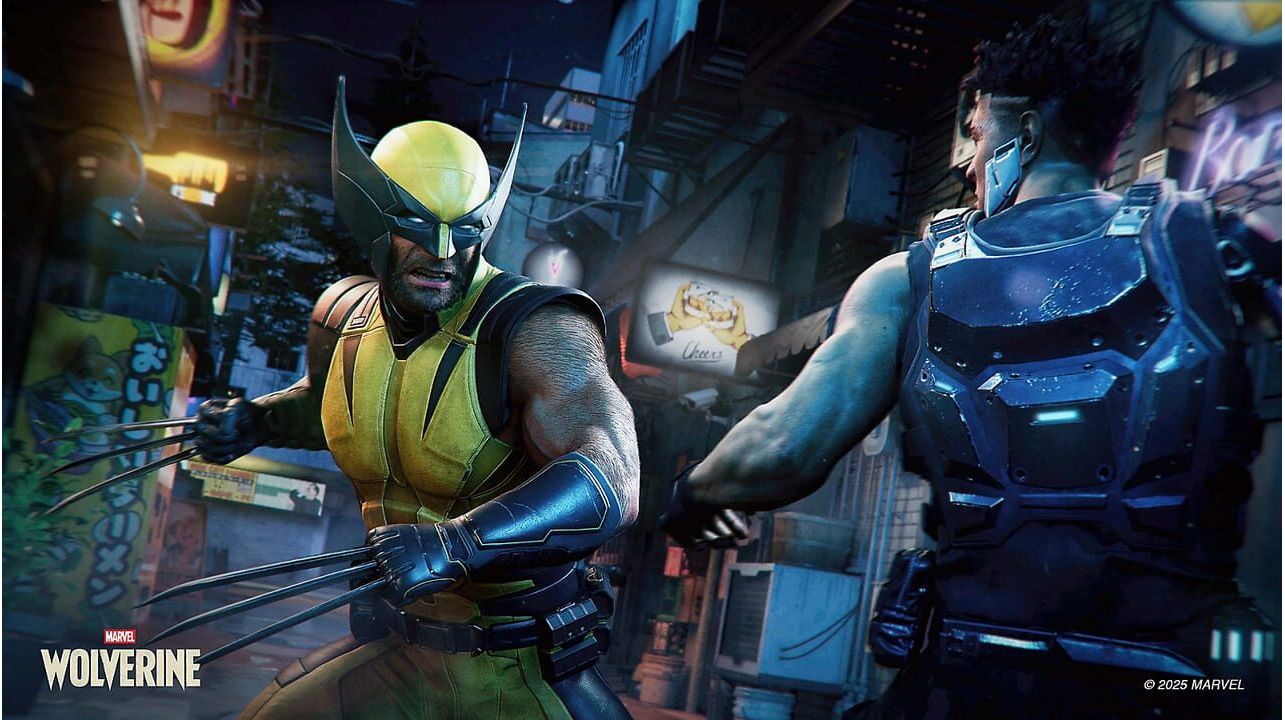
Marvel's Wolverine est un jeu d'aventure solo qui fait office d'épisode indépendant de la série Marvel's Spider-Man. Il partage une trame narrative commune avec les précédents opus tout en proposant une histoire originale. Les joueurs incarnent Logan/Wolverine et se livrent à des combats rapprochés, utilisant ses griffes d'adamantium contre des ennemis issus des comics X-Men. Ce jeu est prévu comme le premier volet d'une trilogie consacrée aux X-Men. Logan est un mutant centenaire dont le squelette est imprégné d'adamantium indestructible, fruit d'expériences cruelles. Doté de griffes rétractables, de sens exacerbés et d'un facteur de guérison régénérant, il a quitté l'équipe X il y a trois ans, dans des circonstances qu'il cherchait à fuir. Lorsque des mutants commencent à disparaître à cause des agissements de Bolivar Trask, un industriel milliardaire à la tête d'une armée privée cybernétiquement augmentée, les Reavers, Logan réintègre son ancienne équipe. Pour arrêter Trask et sauver les mutants disparus, il doit affronter un passé brutal qu'il croyait avoir échappé.
Principales caractéristiques du jeu :
Incarnez Wolverine : déchaînez votre puissance explosive sur vos ennemis et utilisez vos griffes d'adamantium acérées pour des attaques rapides et fluides, et triomphez des situations les plus désespérées. Développez des Techniques et des Adaptations uniques et interchangeables pour traquer, tendre des embuscades ou vaincre vos adversaires, des mercenaires Reavers de Boliver Trask aux méchants emblématiques comme l'odieux Omega Red. Accumulez la rage pour anéantir vos adversaires, car ses méthodes sont loin d'être clémentes.
Une histoire originale et poignante : derrière l’apparence rude et le tempérament violent de Wolverine se cache un homme qui se bat pour une cause qui le dépasse. Les mutants sont menacés d’anéantissement et il représente leur meilleur espoir. Affrontez un passé sombre et vivez une histoire intense, portée par la quête d’identité, la loyauté et le combat intérieur pour percer le mystère du passé oublié de Wolverine.
Un périple mondial riche en adrénaline : affrontez vos ennemis dans des environnements détaillés, des étendues sauvages et glacées du Canada aux rues étroites de Tokyo, en passant par les quartiers populaires et huppés de l’île de Madripoor. Vivez des scènes d’action palpitantes tout au long du voyage de Wolverine dans cette lutte planétaire pour la survie des mutants.
Log into your PlayStation account in the top right of the screen.
Click on your Avatar at the top of the screen.
Select Redeem Codes from the drop-down menu.
Carefully enter the code and select Redeem.
The credit or content is now applied to your account.
How to redeem your digital code via PlayStation 5:
On the PlayStation5 Game Home Menu highlight and select the PlayStation Store hub with the cross button on your wireless controller.
Navigate up to the top menu Categories bar in the Store and select a "..." icon next to the shopping cart icon.
Highlight and select “Redeem Code” from the list of options.
Enter your code and press the cross button to continue.
Now you will see the content you are redeeming. Highlight the confirm option and the cross button.
A message will appear confirming that the code has been redeemed, press the button on "OK".
The content should download automatically but if it does not, or if you would like to manually download the content, visit the game page In your Game Library from the Games Home Menu.
How to redeem your digital code via PlayStation 4:
On the PlayStation 4 Home screen highlight and select PlayStation Store with the cross button on your wireless controller.
From the list of store categories on the left of the screen, press the down button until you can highlight and select “Redeem Codes” with the cross button.
Press the cross button to enter your code, then press the R2 button and select Continue.
Now you will see a list of the digital content you are redeeming. Highlight the confirm option and press the cross button.
A message will appear confirming that the code has been redeemed, press the cross button on "OK".
The content should download automatically but if it does not, or if you would like to manually download the content, visit the game tile under your Library in the Home screen.
Marvel's Wolverine est un jeu d'aventure solo qui fait office d'épisode indépendant de la série Marvel's Spider-Man. Il partage une trame narrative commune avec les précédents opus tout en proposant une histoire originale. Les joueurs incarnent Logan/Wolverine et se livrent à des combats rapprochés, utilisant ses griffes d'adamantium contre des ennemis issus des comics X-Men. Ce jeu est prévu comme le premier volet d'une trilogie consacrée aux X-Men. Logan est un mutant centenaire dont le squelette est imprégné d'adamantium indestructible, fruit d'expériences cruelles. Doté de griffes rétractables, de sens exacerbés et d'un facteur de guérison régénérant, il a quitté l'équipe X il y a trois ans, dans des circonstances qu'il cherchait à fuir. Lorsque des mutants commencent à disparaître à cause des agissements de Bolivar Trask, un industriel milliardaire à la tête d'une armée privée cybernétiquement augmentée, les Reavers, Logan réintègre son ancienne équipe. Pour arrêter Trask et sauver les mutants disparus, il doit affronter un passé brutal qu'il croyait avoir échappé.
Principales caractéristiques du jeu :
Incarnez Wolverine : déchaînez votre puissance explosive sur vos ennemis et utilisez vos griffes d'adamantium acérées pour des attaques rapides et fluides, et triomphez des situations les plus désespérées. Développez des Techniques et des Adaptations uniques et interchangeables pour traquer, tendre des embuscades ou vaincre vos adversaires, des mercenaires Reavers de Boliver Trask aux méchants emblématiques comme l'odieux Omega Red. Accumulez la rage pour anéantir vos adversaires, car ses méthodes sont loin d'être clémentes.
Une histoire originale et poignante : derrière l’apparence rude et le tempérament violent de Wolverine se cache un homme qui se bat pour une cause qui le dépasse. Les mutants sont menacés d’anéantissement et il représente leur meilleur espoir. Affrontez un passé sombre et vivez une histoire intense, portée par la quête d’identité, la loyauté et le combat intérieur pour percer le mystère du passé oublié de Wolverine.
Un périple mondial riche en adrénaline : affrontez vos ennemis dans des environnements détaillés, des étendues sauvages et glacées du Canada aux rues étroites de Tokyo, en passant par les quartiers populaires et huppés de l’île de Madripoor. Vivez des scènes d’action palpitantes tout au long du voyage de Wolverine dans cette lutte planétaire pour la survie des mutants.
Log into your PlayStation account in the top right of the screen.
Click on your Avatar at the top of the screen.
Select Redeem Codes from the drop-down menu.
Carefully enter the code and select Redeem.
The credit or content is now applied to your account.
How to redeem your digital code via PlayStation 5:
On the PlayStation5 Game Home Menu highlight and select the PlayStation Store hub with the cross button on your wireless controller.
Navigate up to the top menu Categories bar in the Store and select a "..." icon next to the shopping cart icon.
Highlight and select “Redeem Code” from the list of options.
Enter your code and press the cross button to continue.
Now you will see the content you are redeeming. Highlight the confirm option and the cross button.
A message will appear confirming that the code has been redeemed, press the button on "OK".
The content should download automatically but if it does not, or if you would like to manually download the content, visit the game page In your Game Library from the Games Home Menu.
How to redeem your digital code via PlayStation 4:
On the PlayStation 4 Home screen highlight and select PlayStation Store with the cross button on your wireless controller.
From the list of store categories on the left of the screen, press the down button until you can highlight and select “Redeem Codes” with the cross button.
Press the cross button to enter your code, then press the R2 button and select Continue.
Now you will see a list of the digital content you are redeeming. Highlight the confirm option and press the cross button.
A message will appear confirming that the code has been redeemed, press the cross button on "OK".
The content should download automatically but if it does not, or if you would like to manually download the content, visit the game tile under your Library in the Home screen.