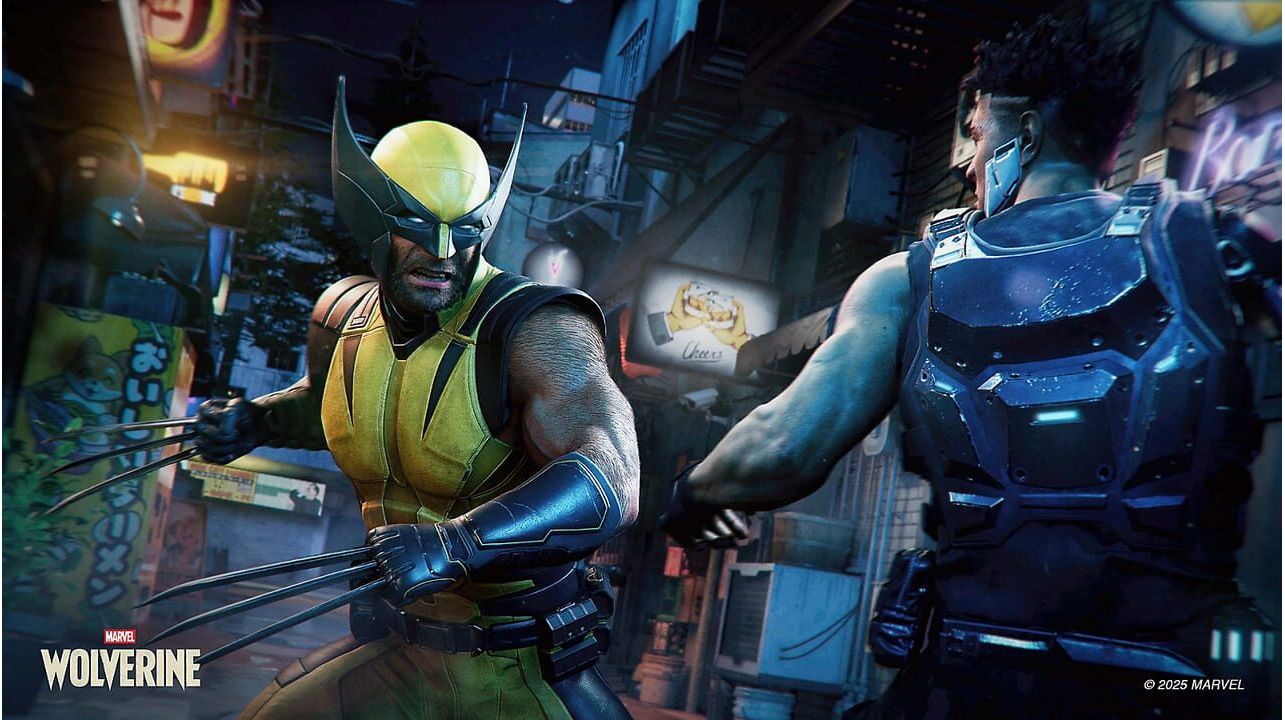
Marvel's Wolverine è un gioco d'avventura per giocatore singolo che si inserisce a sé stante nella serie Marvel's Spider-Man. Condivide una trama comune con i capitoli precedenti, pur raccontando una storia originale. I giocatori controllano Logan/Wolverine in combattimenti ravvicinati, brandendo i suoi artigli di adamantio contro nemici tratti dai fumetti degli X-Men. È previsto che sia il primo capitolo di una trilogia di giochi dedicati agli X-Men. Logan è un mutante centenario il cui scheletro è intriso di adamantio indistruttibile, frutto di crudeli esperimenti. Dotato di artigli retrattili, sensi acuiti e un fattore di guarigione rigenerativa, ha lasciato la squadra mutante Team X tre anni prima, in circostanze che aveva cercato di lasciarsi alle spalle. Quando i mutanti iniziano a scomparire a causa delle azioni di Bolivar Trask, un miliardario industriale a capo di un esercito privato di mutanti potenziati ciberneticamente noto come i Reavers, Logan torna nella sua vecchia squadra. Per fermare Trask e salvare i mutanti scomparsi, dovrà affrontare il brutale passato da cui credeva di essersi liberato.
Caratteristiche principali del gioco:
Gioca nei panni di Wolverine: annienta i nemici con una brutalità esplosiva e scatena artigli di adamantio affilati come rasoi per sferrare attacchi rapidi e fluidi e superare ogni ostacolo. Evolvi con Tecniche e Adattamenti unici e intercambiabili per braccare, tendere imboscate o sopraffare i nemici, dai mercenari Reavers di Boliver Trask ai cattivi iconici come il rozzo Omega Red. Accumula slancio aggressivo per ottenere Furia e annientare gli avversari, perché ciò che fa non è affatto piacevole.
Una storia originale e carica di emozioni: sotto l'aspetto burbero e il temperamento violento di Wolverine si cela un uomo che combatte per una causa più grande di lui. I mutanti sono minacciati dall'annientamento e lui è la loro unica speranza. Affronta un passato oscuro e vivi una storia intensa, incentrata su identità, lealtà e una lotta interiore per svelare la verità sul passato dimenticato di Wolverine.
Un viaggio globale adrenalinico: fai a pezzi i nemici in ambientazioni dettagliate come le gelide distese selvagge canadesi, le strette vie di Tokyo e i quartieri alti e bassi dell'isola-nazione di Madripoor. Vivi sequenze d'azione emozionanti durante il viaggio di Wolverine in questa lotta globale per la sopravvivenza dei mutanti.
Log into your PlayStation account in the top right of the screen.
Click on your Avatar at the top of the screen.
Select Redeem Codes from the drop-down menu.
Carefully enter the code and select Redeem.
The credit or content is now applied to your account.
How to redeem your digital code via PlayStation 5:
On the PlayStation5 Game Home Menu highlight and select the PlayStation Store hub with the cross button on your wireless controller.
Navigate up to the top menu Categories bar in the Store and select a "..." icon next to the shopping cart icon.
Highlight and select “Redeem Code” from the list of options.
Enter your code and press the cross button to continue.
Now you will see the content you are redeeming. Highlight the confirm option and the cross button.
A message will appear confirming that the code has been redeemed, press the button on "OK".
The content should download automatically but if it does not, or if you would like to manually download the content, visit the game page In your Game Library from the Games Home Menu.
How to redeem your digital code via PlayStation 4:
On the PlayStation 4 Home screen highlight and select PlayStation Store with the cross button on your wireless controller.
From the list of store categories on the left of the screen, press the down button until you can highlight and select “Redeem Codes” with the cross button.
Press the cross button to enter your code, then press the R2 button and select Continue.
Now you will see a list of the digital content you are redeeming. Highlight the confirm option and press the cross button.
A message will appear confirming that the code has been redeemed, press the cross button on "OK".
The content should download automatically but if it does not, or if you would like to manually download the content, visit the game tile under your Library in the Home screen.
Marvel's Wolverine è un gioco d'avventura per giocatore singolo che si inserisce a sé stante nella serie Marvel's Spider-Man. Condivide una trama comune con i capitoli precedenti, pur raccontando una storia originale. I giocatori controllano Logan/Wolverine in combattimenti ravvicinati, brandendo i suoi artigli di adamantio contro nemici tratti dai fumetti degli X-Men. È previsto che sia il primo capitolo di una trilogia di giochi dedicati agli X-Men. Logan è un mutante centenario il cui scheletro è intriso di adamantio indistruttibile, frutto di crudeli esperimenti. Dotato di artigli retrattili, sensi acuiti e un fattore di guarigione rigenerativa, ha lasciato la squadra mutante Team X tre anni prima, in circostanze che aveva cercato di lasciarsi alle spalle. Quando i mutanti iniziano a scomparire a causa delle azioni di Bolivar Trask, un miliardario industriale a capo di un esercito privato di mutanti potenziati ciberneticamente noto come i Reavers, Logan torna nella sua vecchia squadra. Per fermare Trask e salvare i mutanti scomparsi, dovrà affrontare il brutale passato da cui credeva di essersi liberato.
Caratteristiche principali del gioco:
Gioca nei panni di Wolverine: annienta i nemici con una brutalità esplosiva e scatena artigli di adamantio affilati come rasoi per sferrare attacchi rapidi e fluidi e superare ogni ostacolo. Evolvi con Tecniche e Adattamenti unici e intercambiabili per braccare, tendere imboscate o sopraffare i nemici, dai mercenari Reavers di Boliver Trask ai cattivi iconici come il rozzo Omega Red. Accumula slancio aggressivo per ottenere Furia e annientare gli avversari, perché ciò che fa non è affatto piacevole.
Una storia originale e carica di emozioni: sotto l'aspetto burbero e il temperamento violento di Wolverine si cela un uomo che combatte per una causa più grande di lui. I mutanti sono minacciati dall'annientamento e lui è la loro unica speranza. Affronta un passato oscuro e vivi una storia intensa, incentrata su identità, lealtà e una lotta interiore per svelare la verità sul passato dimenticato di Wolverine.
Un viaggio globale adrenalinico: fai a pezzi i nemici in ambientazioni dettagliate come le gelide distese selvagge canadesi, le strette vie di Tokyo e i quartieri alti e bassi dell'isola-nazione di Madripoor. Vivi sequenze d'azione emozionanti durante il viaggio di Wolverine in questa lotta globale per la sopravvivenza dei mutanti.
Log into your PlayStation account in the top right of the screen.
Click on your Avatar at the top of the screen.
Select Redeem Codes from the drop-down menu.
Carefully enter the code and select Redeem.
The credit or content is now applied to your account.
How to redeem your digital code via PlayStation 5:
On the PlayStation5 Game Home Menu highlight and select the PlayStation Store hub with the cross button on your wireless controller.
Navigate up to the top menu Categories bar in the Store and select a "..." icon next to the shopping cart icon.
Highlight and select “Redeem Code” from the list of options.
Enter your code and press the cross button to continue.
Now you will see the content you are redeeming. Highlight the confirm option and the cross button.
A message will appear confirming that the code has been redeemed, press the button on "OK".
The content should download automatically but if it does not, or if you would like to manually download the content, visit the game page In your Game Library from the Games Home Menu.
How to redeem your digital code via PlayStation 4:
On the PlayStation 4 Home screen highlight and select PlayStation Store with the cross button on your wireless controller.
From the list of store categories on the left of the screen, press the down button until you can highlight and select “Redeem Codes” with the cross button.
Press the cross button to enter your code, then press the R2 button and select Continue.
Now you will see a list of the digital content you are redeeming. Highlight the confirm option and press the cross button.
A message will appear confirming that the code has been redeemed, press the cross button on "OK".
The content should download automatically but if it does not, or if you would like to manually download the content, visit the game tile under your Library in the Home screen.